Select Menu

ads2

Slider

Featured Post (Slider)

Rumah - Interior

Recent Comments

Kesehatan

Social Icons

google plus facebook linkedin

Artikel Popular

Portfolio

Motivasi Kerja

Travel

Performance

Cute

My Place

Motivasi Kerja

Racing

Videos


Dunia anak adalah dunia bermain, tak heran jika mereka sangat menyukai permainan game. Meski demikian, anak tetap harus memiliki batasan waktu untuk bermain. “Sebaiknya jangan melarang anak untuk bermain. Karena dalam batas normal dan seimbang, permainan punya dampak positif untuk anak,” tukas psikolog Evangeline I. Suaidy, MSi, dalam acara coaching clinic Cosmos di Kidzania, Pasific Place, Jakarta Selatan, beberapa waktu lalu.

Pada dasarnya beragam permainan yang dilakukan anak membutuhkan keterampilan, kecekatan, fokus, dan keuletan anak untuk memenangkan permainan. Jika hal ini terus diasah dengan tepat, menurut Eva anak akan mendapat berbagai manfaat yang positif.

1. Penggunaan bahasa Inggris

Salah satu jenis permainan yang cukup populer di kalangan anak-anak adalah game online dan konsol. Permainan ini biasanya dibuat oleh perusahaan luar negeri yang mempergunakan bahasa Inggris. Saat memainkannya, anak secara tak langsung diharuskan untuk menguasai bahasa Inggris agar bisa menyelesaikan tantangannya. “Ini adalah cara yang menyenangkan bagi anak untuk belajar bahasa, karena tidak membebani mereka untuk duduk diam dan belajar,” tukas Eva.

2. Melatih logika

Saat bermain, anak-anak harus menggunakan berbagai strategi untuk memenangkan game ini. Permainan bisa membantu melatih penggunaan logika, menganalisa, dan memecahkan masalah yang dihadapi.

3. Melatih kemampuan spasial

Melalui permainan, kemampuan spasial anak yang berhubungan dengan kecerdasan gambar dan bervisualisasi akan terasah. Kemampuan ini akan berpengaruh dengan kemampuan berhitung mereka. Selain itu, permainan juga akan membantu penggunaan motorik halus anak.

4. Pengenalan teknologi

Game online dan konsol secara tak langsung akan mengajarkan anak untuk lebih memahami teknologi informasi yang sedang berkembang sekarang ini.

5. Kemampuan membaca

Bagi anak yang belum lancar membaca, game konsol bisa jadi alat bantuan yang tepat untuk belajar membaca. Beberapa game ada yang bersifat edukasi dan bisa membantu anak untuk belajar dengan cara yang lebih asyik. Selain itu, saat bermain anak juga diharuskan membaca setiap perintah yang diberikan oleh tokoh game dan narator game. Maka, secara tak langsung anak bisa belajar membaca dan mengeja secara signifikan.

6. Melatih kerjasama

Pada permainan atau game berpasangan, anak diajak untuk bisa berkoordinasi dan menjalin kerjasama dengan teman-temannya.

7. Stimulasi otak

Para pemain bisa membuat permainan sendiri sesuai dengan yang diinginkannya. Hal ini akan membantu stimulasi otak dan proses berpikir untuk menciptakan skenario yang panjang dan rumit sebagai bagian dari pengembangan kreativitas mereka.

8. Mengembangkan imajinasi

Permainan bisa membantu anak untuk mengembangkan imajinasi mereka. Anak bisa menggunakan imajinasi ini untuk menyeimbangkan berbagai kejadian dalam film dan diaplikasikan dalam dunia nyata (yang relevan dan postif).

9. Belajar ekonomi

Banyak game yang mengajarkan anak nilai-nilai ekonomi, misalkan permainan berbelanja, mengatur restoran, dan lain-lainnya. Permainan ini mengajarkan nilai uang dengan cara mendapatkan uang dan menukarkannya dengan objek yang bisa memfasilitasi game tersebut.

10. Meningkatkan interaksi keluarga

Game tidak hanya bisa dimainkan oleh anak, tapi juga orang tua. Tak ada salahnya untuk sesekali bergabung dengan anak untuk bermain bersama. Kebersamaan saat bersenang-senang ini akan meningkatkan keakraban dan interaksi dalam keluarga.

Sumber: Innashagarden

AMD seems to want to get in all industries possible other than graphic cards and processors, they are looking to go mobile now. AMD Tablet anyone ? You have probably heard of the Razor Edge Pro, the gaming tablet thats a console, tablet and pc all in one.

Razer Tablet Will Be Sidetracked By AMDs Gaming Tablet

But that was released in early 2013, and as technology evolves with a new breed of gaming GPUs available from both AMD and Nvidia and much faster processors. AMD will likely be taking their place with the latest hardware specifications currently available.

AMD Tablet Will Be Showcased at CES 

At CES 2014 which is just 2 days away, AMD will be unveiling their own multi-purpose gaming tablet. Currently we don’t have any information about the name or the components included, but it’s likely to be equipped with better hardware than the Razer Edge.


AMD has also provided a video on Youtube in which we can see the huge screen with a docking station with 9-11 USB ports for multi-device plug and play capabilities.An extra for gamers is its own attachable controller just like the one the Razer Edge Pro has. AMD releasing a new Tablet isn’t the only news we will see at CES.

Source: Hardwarepal


Today Technology has actually revolutionized the gaming world in all aspects. 3D Games have become very popular nowadays. Now you can make your gaming experience real, exciting and thrilling with Swipe 3D Life- India’s First 3D Tablet PC and Swipe 3D Life+ Tablet PC’s.  Playing 3D games is really a pleasurable and stress relieving experience. You can enjoy amazing graphics with 3D Games. The three dimensional features are just stunning and outstanding on Swipe 3D Tablet PC’s.  You can install a variety of 3D games through Google Play Store or Swipe App Store.

1) 3D Bowling:
This is the best and most realistic 3D bowling game on the Android devices. It is the only bowling game that fully embraces the incredible 3D physics engine and effects.  This game comes with Stunning 3D graphics.


2) Heliroid 3D: Helicopter RC:
Take the Control of a little RC helicopter in your house! Helidroid 3D is a realistic 3D game, which let you control a little RC helicopter in a house. The first part takes place in a room, where you have to accomplish 30 missions: At the beginning, there are only easy missions, like taking off from the bed and landing on the desk. But step by step, the missions will become more and more complicated, and a lot of new toys will appear, like a car-circuit or an electronic-train. When you finish the game, you become a real chopper pilot!


3) Space Wars 3D:
The galaxy is under attack and only your piloting can save the galaxy! A merciless alien race has their sights set on our planet, and the only opposition left is you! Pilot your ship through the galaxy blasting an alien race to pieces all in gorgeous 3D! Fast paced arcade style game play gets you into the action fast! The choice is yours: control your ship with an on screen control stick or use your device’s tilt control. Turn your ship quickly to execute death-defying Barrel rolls to shrug off enemy attacks with style! Firing is automatic, just aim and vaporize the enemy fleet! The more enemies you destroy the more power-ups, health packs, and Mega Bombs you can collect makes you win the game!


4) Mahjong 3D:
Mahjong 3D is a free solitaire game where the player is challenged to eliminate all pieces from the board. You need to find the matching images from the end lines of the game pyramid of pieces. This game involves skill, strategy and calculation as well a certain degree of luck.


5) Golf 3D:
Gold 3D is the most exciting 3D Golf Game with stunning 3D Golf courses. Everyone can join in this fun and exciting golf adventure game on your Tablet PC. It is simple to play but real challenge to master and you will be totally addicted to the numerous game plays.


6) AE 3D Motor:
This App comes with exciting and beautiful 3D Graphics, realistic scenes and vehicles, addictive and crazy game play, extremely smooth tilt control, as well as awesome vivid sound, which will give you a real motorcycle racing feeling!  This game is a very addictive game.


7) Tank Recon 3D (Lite):
Piloting your new advanced tank, code named Alpha, you will be shooting it out with various units such as tanks, planes, AT guns and more. Fire your main cannon and watch as the enemy explodes into pieces. Use your guided missiles to bring down enemy planes or anything else that needs blowing up!


8) Death Fighter 3D:
This game is really interesting and addictive. This App comes with a super cool explosive effect. This game supports exquisite graphics, realistic sound and thrilling scenes. There are plenty of weapons to choose and upgrading level will temper you to be the Best Pilot.

https://play.google.com/store/apps/details?id=com.DeathFighter3D.game.kongzhongzhanshi&feature=search_result

Source: Swipetelecom

By
Android smartphone or tablet.

Hill Climb Racing1. Hill Climb Racing

Hill Climb Racing may look a little basic but what it lacks in eye popping graphics, it makes up for in pure addiction. To start you get a jeep, one level and gas and brake pedals, but you'll soon unlock more cars and levels with the coins you collect during each run. Coins are collected by driving over them, reaching checkpoints and performing flips. Not only can you spend them on new items, but upgrading your cars. New levels and cars are added regularly and rag-doll physics add a comedy factor. You'll find yourself coming back again and again to get further, an upgrade, new car or level.

Temple Run 22. Temple Run 2

Temple Run is the crème de la crème of endless runners and the second version is not only better than the original, but free. Temple Run 2 combines simple controls, with a simple objective with a graphically stunning design including forests, caves and zip lines to keep you entertained for hours. You'll be jumping, dodging and sliding not only to beat your friends but also to unlock achievements and new characters. Various power ups add another fun element, too. You might not escape with the precious idol, but you'll definitely have fun trying.

Bad Piggies3. Bad Piggies

The first Angry Birds to put the green pigs in the spotlight is Bad Piggies, and we love it. Getting your pig, or eventually pigs, from point a to point b might sound simple enough but you've got do do it by building a contraption out of a selection of parts. After a few tutorial levels, this starts to get quite challenging, then add in the objectives to gain those all important three stars and you've got yourself a great game. Probably the most fun is the sandbox levels which let you build almost anything you want from a vast inventory of parts.

bad piggies


Plants vs Zombies 24. Plants vs Zombies 2

The original Plants vs Zombies was a smash hit and the second version is a must have game for any Android gamer. This long awaited sequel remains an exceptional, charming tower defense title that expands on the original while taking you in new and exciting directions. A new level structure takes you through different themed worlds with matching new zombies to take on. You can, to a degree, choose which levels to play and there are new objectives to complete. As you would expect, there are new plants to get to grips with and although in-app purchases make an appearance you can essentially ignore them.

Cut The Rope5. Cut the Rope

A classic mobile game with now various editions, Cut the Rope has superb level design and the game makes great use of the touch screen. There's excellent physics-based gameplay with plenty of different objects to interact with in different and clever ways. Three stars placed around each level will make you want to play over and over again until you've cracked the puzzle. There's loads of levels to keep you going. Let's not forget how adorable the main character Om Nom is, too. Now the original game is fairly old, the developer has made the full version completely free so you can't go wrong with this charming and addictive title.

Real Racing 36. Real Racing 3

If Hill Climb Racing is a little basic for you, and you have some space free on your device then you'll need to check out Real Racing 3. For starters you'll be blown away by the impressive quality of graphics which offer a high level of detail. As the name suggests, Real Racing 3 features real cars, real tracks and real people. Time Shifted Multiplayer means you can play with your friends even if they're offline. There's a good selection of race types including cup races, eliminations, endurance challenges and drag races. And how much does this console looking game cost? Well it's free so get downloading.

Triple Town7. Triple Town

Bringing an innovative concept to puzzle games, Triple Town is a great free download and the kind of game you can pick up at any time. The idea is to build the best city you can and this is done by combining three items to form one increasingly better one. Bushes become trees, trees become huts and so on. Some cute but pesky bears will get in the way of your progress. We're also big fans of the gorgeous and charming graphics and animations. Like most games, you can spend real money but it's not a necessity.

Tetris Blitz8. Tetris Blitz

As the name suggests, Tetris Blitz isn't just a regular version of Tetris. Instead of the simplistic endless nature of the original, Blitz gives you a two minute time limit in which to score as many points as you can. A frenzy mode adds a fresh new element to this classic game.  Instead of moving blocks around, you simply tap on the screen where you want them to go. This removes some of the skill but is in-keeping with the game's fast pace nature. Although the game tempts you to buy power-ups, you can still get high scores without getting your wallet out.


Tetris Blitz


Candy Crush Saga9. Candy Crush Saga

Consistently at the top of the Google Play store, Candy Crush Saga is a massive success. This is an addictive puzzle game that anyone can pick up and play, using the classic match-three style, but a variation on the theme that sees gems swapped with sweets and other tasty treats. The ease with which you can continue your game on multiple devices is a huge plus point and instead of playing for simple high score, you need to complete levels with various objectives. It's free to download but once you reach to level 35 Candy Crush begins charging 69p per episode.

New Star Soccer10. New Star Soccer

New Star Soccer is a game which puts you in the boots of an up-and-coming professional football without a penny to his name. You have to complete flick based football challenges such as passing, shooting and timing interceptions. The better you get the more money you earn and this is where the game gets really fun and a little creepy. You can buy vehicles, clothes, property and a whole string of girlfriends. Essentially the more things you have and the more you train your player the better you get. So while you start your career at lowly Torquay United, you can flick your way to the World Cup.

Source: Pcadvisor
By @TheBrowncoat88


Microsoft is marketing its Surface Pro tablet as a productivity machine, but I'm a hopelessly addicted PC gamer, and have less, well, conventional plans for the hardware.

Recent Internet hubbub says Surface Pro holds its own as a gaming device, so I had to validate the claims for myself. $1000 is an expensive entry fee for playing Portal 2 on the bus, so as soon as I could pry the Surface Pro from the other editors' hands, I put it through a battery of real-world gaming tests.


Ultrabook-caliber specs suggest Surface Pro might have potential. A current-gen Core i5 processor and SSD could deliver a nice gaming experience, but RAM is capped at 4GB, and the tablet's integrated Intel HD Graphics 4000 would seem destined to disappoint anyone who wants to play anything more graphically challenging than Angry Birds. 

But enough speculation. Let's look at Surface Pro's real-world frame rates in legitimate PC games. I'll also evaluate how the tablet performs as a touch device in turn-based games, and whether battery life cripples the machine as a mobile gaming platform.

Number don't lie

First, I crammed a few of my favorite games—each varying in resource requirements and gameplay style—onto the tablet's teeny-tiny SSD. Next I used the free version of FRAPS to benchmark each game for a period of one minute on different graphics settings. FRAPS will report the real-time frame rate of any game, as well as set up custom benchmarks to record the average frame rate over a given period.

If a game offered preset high, medium and low settings, I used them. If not, I manually adjusted the settings to meet those basic standards. I also disabled anti-aliasing except for the high-performance tests (in which cases I set anti-aliasing to 2x). In the chart below, you'll see the maximum, minimum and average frame rates that the Surface Pro delivered for XCOM: Enemy Unknown, Portal 2, Minecraft and Civilization 5 (click the image for an exploded view).

Click to zoom

I was surprised by some of the results. Sure, I won't be maxing out Portal 2 settings, but Surface Pro did get close to 50 frames per second on medium settings. This indicates there's wiggle room to adjust some of your favorite settings to high, and still have Portal 2 run comfortably—unless, of course, anything less than 60 frames per second leaves you unfulfilled.

Minecraft ran exceptionally well. For this, we can thank the game's heavy reliance on CPU processing rather than GPU processing. The Core i5 processor rendered the Minecraft environment quite well, and everything ran smoothly near 40 frames per second, even with all the fancy graphics settings enabled.

Civilization 5 on low settings is still pretty.

The two Firaxis games—XCOM: Enemy Unknown and Civilization 5—mostly chugged along below 30 frames per second, and ended up being pretty choppy but arguably playable. Because these games are basically super-charged board games, their slower turn-based gameplay allowed Surface Pro to catch up, and make up for the frames it dropped. In effect, the hardware's performance deficits were only an issue during cut-scenes, when scrolling around maps, and when processing my opponent's turn.

A port battle royale

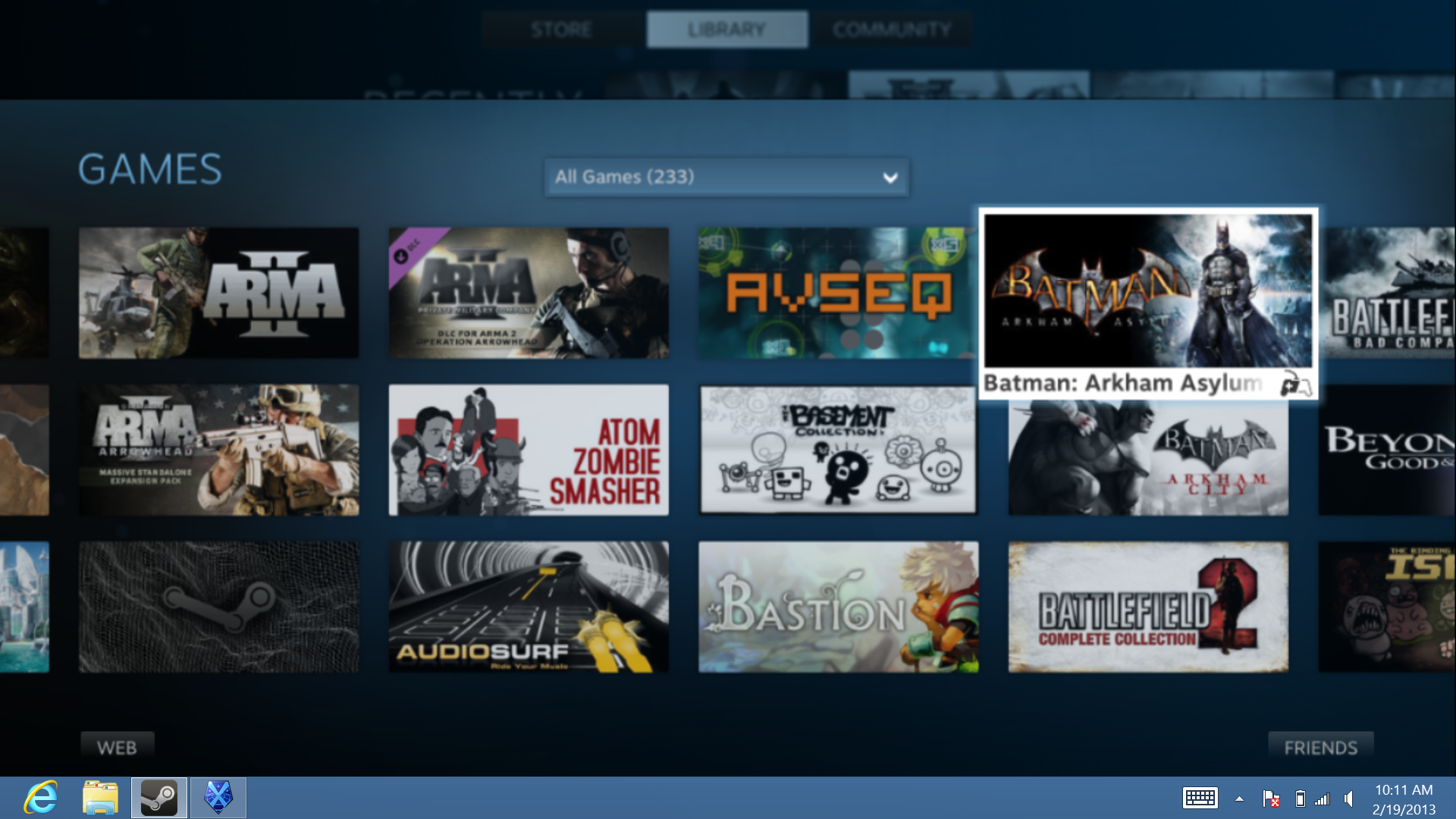
But enough about the small handful of games I put under the benchmarking microscope. My primary objective for this Surface Pro exercise was to find a quality way to play Steam games on my big-screen TV without running a crazy-long HDMI cord from my current desktop behemoth. With the help of Surface Pro's HDMI adapter, I was hoping to play my PC games on the big screen, taking advantage of Steam's new Big Picture interface.

Steam's Big Picture Mode makes it easier to use from the couch.

PCWorld's Surface Pro is mated to Microsoft's Type Cover, but the touchpad on that keyboard accessory is hopeless for navigating gaming interfaces, so I grabbed a USB mouse along with my Xbox 360 controller. Just one problem, though: The tablet boasts only one USB port. 

Shoot, and I was planning to use a gaming keyboard and a USB headset too.

Desktop gaming machines come with tons of USB ports for a reason, and without them, the basic gaming experience can be crippled. I grabbed a USB hub and finally managed to hook everything up, but the Surface Pro was now an over-tethered mess with all those cables attached.

To test out Xbox 360 controller support, I turned to Super Meat Boy, an indie-developed side-scroller that offers console friendly gameplay. I set the game to Surface Pro's native 1920-by-1080 pixel resolution, and it ran at a stable 30 frames per second, which was a bit too choppy for my tastes due to the fast-paced action intrinsic to the game. There weren't any other graphical options to adjust, so the resolution was all that could be addressed.

Regardless, the controller worked well, and I concluded that Surface Pro can be an able platform for playing simple console-style games via Steam. Likewise, loading a few console emulators would be easy and convenient.

Gaming on the go

I love Angry Birds as much as the next commuter, but it would be great to play some hardcore PC games on the long bus ride to work, if only to make the sad sack sitting next to me incredibly jealous.

Unfortunately, a lot of games and services are beginning to adopt an "always connected" requirement, which is a challenging proposition even though public Wi-Fi is becoming more commonplace. It's just not that easy to find a free, open, stable connection in the wild, and it's definitely not an amenity offered by my local public transit.

Diablo 3 requires a connection at all times. That's not nice to travelers!

Nonetheless, putting aside the fact that I can't play Diablo 3 or the upcoming SimCity because of their reliance on Internet connection, Surface Pro is still a decent hardware option for mobile gaming, and I would pack it away in my travel bag—accessories and all—before touching any other tablet.

Touchy Feely

One of Surface Pro's big benefits is Windows 8 touch control, so I challenged myself to play games without the benefit of an external mouse or one of Microsoft's optional keyboard covers. Obviously, touch gestures won't offer any benefits in real-time action games or first-person shooters, but turn-based games such as XCOM: Enemy Unknown and Civilization V would seem perfectly suited for Microsoft's touchy-feely new world order.

My results? Quite mixed, actually. Everything was dependent on the Windows 8 gesture support built into individual games.

When booting into Civilization V, there's an option to enter into a Windows 8 touch-enabled overlay that makes the game gesture-friendly. A splash screen (shown below) pops up as a quick guide on how to use the gestures. After a few practice minutes, the game became much more intuitive and easy to navigate and play.

Civilization 5's touch screen controls.

XCOM: Enemy Unknown, on the other hand, was clunky when using touch controls, which is to be expected as there's no dedicated touch option. In a game where a simple miss-click could easily ruin your strategy, I found myself struggling past the point of frustration.

The game uses right-clicking to confirm many actions, but this was the toughest gesture to perform. You must touch and hold for an undetermined amount of time to register between a left and right click, and this resulted in many botched attempts as the screen panned in response to any slight movement. In practice, it meant the difference between hiding in cover and becoming an easy target for a duck hunt.

Though the touch controls for Civilization 5 weren't bad, per se, I still found mouse and keyboard control to be better. The bottom line is that turn-based games without custom touch control need some developer loving, and games with custom touch control need refinement.

Tied to a wall

The Surface Pro's battery life is already quite poor, so you'll probably be searching for a wall outlet before you get halfway through a level. Indeed, games tax battery life much more than, say, word processing or web browsing, and this leaves the already battery-challenged Surface Pro at a distinct disadvantage.

XCOM: Enemy Unknown hated the battery life as much as it hated aliens.

In our lab tests, Surface Pro managed to last a little over five hours, but that was just under the rigors of video playback. My real-world gaming results were worse, and after each session I could see significant hits to battery life.

In just under an hour of playing XCOM: Enemy Unknown, the battery dropped from a full charge to right around the 50 percent mark. And after two hours of game play, the system was dead. At this point, I connected the magnetic power cord, booted the machine back up, and was pleased to find my game still intact, just where I had left it when it died. So, all its battery deficits notwithstanding, It's nice to know that not all is lost if you run the machine into the power-hungry ground.

Fill 'er up

Besides needing electricity, games also require a lot of storage space. It's great that the Surface Pro comes with a beyond-speedy SSD to satisfy impatient gamers who hate loading times, but the technology is expensive for the amount of space Microsoft delivers.

There are two versions of Surface Pro—a 64GB model for $900, and a 128GB machine for $1000. If you're even remotely thinking of loading any games onto it, walk right past the 64GB version, as it's simply too small. In fact, reports show that only 23GB of the 64GB version is usable, and even the 128GB version only comes with 83GB of usable space.

Once you account for the storage footprint of Windows 8 itself, a few necessary programs, and a few decent games, your 128GB SSD will be pushing its limits—and that doesn't include any other media like videos and a music collection. And the situation gets even more dire if you love games that require a lot of patching, which includes basically anything with a multiplayer component.

Moral of the story: Be prepared to evict old titles for new ones. There's just not enough room for a large number of games.

Game on?

That lone USB port just doesn't cut it for gaming peripherals.

The Surface Pro can deliver smooth frame rates most of the time—if you're willing to sacrifice various visual settings. But a dearth of USB ports, crappy battery life, and poor touch support show us that Surface Pro really isn't ideal for hardcore gaming on the go.

Nonetheless, the tablet still makes for an awesome emulator machine, and it's great for playing less intensive games on the big screen, and old single-player titles that you haven't touched in years. Beware if you're a neat freak, though, as the collection of cords running to and from the Surface Pro will be enough to make your brain melt.

Source: Pcworld

Oleh Dewi Widya Ningrum


Jika Samsung dan Toys R' Us sempat mengumumkan kehadiran tablet Android untuk anak, maka merek lokal pun tidak mau ketinggalan. Movimax Junior merupakan tablet pertama untuk anak yang resmi menyambangi pasar Indonesia.

PT Bintang Mahameru Utama selaku pemilik merek Movimax berharap kehadiran tablet anak perdana besutannya ini dapat mengubah kebiasaan anak bermain game menjadi sebuah alat edukasi. Pasalnya hingga kini anak-anak merupakan konsumen aktif yang kerap menggunakan gadget untuk bermain game.

"Gadget sebenarnya bisa untuk alat edukasi dan sarana pembelajaran bagi anak, misalnya untuk belajar mengenal huruf, mengenal warna dan bahasa, disamping untuk hiburan dan menciptakan rasa senang," ucap Wilson Wijaya, Direktur PT Bintang Mahameru Utama melalui keterangan resmi yang diterima tim Tekno Liputan6.com, Jumat (29/11).

Namun begitu peran dan aturan yang diterapkan oleh orang tua terhadap penggunaan gadget pada anak disebut Wilson juga harus dipertegas. Mengingat sifat dasar anak yang selalu ingin tahu dan mencoba banyak hal baru yang dialaminya sehari-hari.

Untuk itu, tablet khusus anak ini telah dilengkapi dengan sejumlah aplikasi edukatif mulai dari aplikasi belajar mengenal angka, huruf, warna, musik, buah, hewan, huruf hijaiyah, mewarnai bentuk, bermain puzzle hingga membaca dongeng. Tablet khusus anak ini juga telah dilengkapi dengan game populer seperti Angry Birds, Fruit Ninja, Mega Jump, dan Cut The Rope.

Meski ditujukan untuk anak, namun spesifikasi pendukung yang digunakan terhitung mumpuni. Mulai dari Android Jelly Bean, prosesor dual-core 1 GHz, RAM 1 GB, memori internal 8 GB dan slot microSD hingga 32 GB. Untuk meminimalisir penyalahgunaan perangkat, Kid Tablet telah dilengkapi dengan fitur Parental Control.

Fitur ini memudahkan orang tua mengatasi dan membatasi aplikasi apa saja yang dapat digunakan oleh anak. Tablet khusus anak ini telah tersedia di pasaran dan dijual seharga Rp 900 ribuan. (vin/dew)

Sumber: Liputan6
Oleh Dewi Widya Ningrum


Sukses dengan perangkat tablet khusus anak generasi pertama, Polaroid meluncurkan generasi keduanya yaitu Kids Tablet 2. Sama-sama dirancang khusus untuk anak-anak, namun generasi tablet kedua ini sudah dilengkapi dengan 70 aplikasi dan game.

Sebanyak 70 konten sarat akan muatan pendidikan disuguhkan, mulai dari buku, game hingga aplikasi dari Disney, Marvel, dan Cartoon Network. Semua konten itu sudah terinstal dalam paket penjualan, senilai lebih dari US$ 100 atau sekitar Rp 1,1 jutaan.

"Anak-anak bisa belajar membaca dengan sajian buku komik dari superhero Spiderman, Iron Man, dan The Incredible Hulk atau bermain game menyenangkan dengan karakter dari Toy Story, Wreck -It Ralph, dan Cars," kata Polaroid, seperti yang dilansir Pocket-Lint, Jumat (8/11).

Selain itu ada juga aplikasi yang dapat membangun kreativitas anak. Dengan sebuah aplikasi bernama Kids Cam, anak-anak dapat menggunakan kamera depan maupun belakang, termasuk opsi untuk memotret foto dan merekam video dengan musik dan efek khusus. Anak-anak juga dapat membuat musik dengan aplikasi DJ Studio.

Mengenai spesifikasi, tablet besutan perusahaan yang terkenal akan produk optiknya ini menggunakan layar sentuh 7 inci beresolusi 1024 x 600 piksel, ditopang prosesor dual-core ARM Cortex-A9 1,5GHz yang dipadu memori RAM 1GB dan sistem operasi Android 4.2 Jelly Bean.

Dan yang terpenting, tablet ini tahan banting dengan balutan material karet di sekeliling bodi sehingga para orangtua tak perlu khawatir bila tablet ini terlempar dan jatuh karena kecerobohan sang anak. Tombol-tombolnya pun besar sehingga anak-anak mudah mengoperasikannya.

Polaroid Kids Tablet 2 dijual dengan harga yang cukup terjangkau, yaitu US$ 149 atau sekitar Rp 1,7 jutaan. (isk/dew)

Sumber: Liputan6

By Nick T.


As much as we love playing games on smartphones and tablets using on-screen virtual controls, we sometimes miss the tactile feedback that only a dedicated physical controller can provide. And we bet that many gamers – novice and veteran alike, would agree with us. But thankfully, there's a solution. Plenty of accessory manufacturers have come up with great game controllers intended to be used with the smartphones and tablets available on the market. Here's 10 of them – arguably the best ones you might find, so check them out and let us know which one you like the most.

1. Moga


The Moga game controller comes with a holder designed to grasp your smartphone tightly while you're playing – anything up to 3.2 inches in width should fit. But since the accessory works over Bluetooth, your handset does not need to be attached to it. MOGA works with tablets as well and a pair of AAA batteries can power it for up to 18 hours.

Compatibility: Android
Price: $49.99


From the people who brought us the iCADE comes the 8-bitty, which it a teeny weeny wireless gaming controller. Yup, it sure looks like a classic NES gamepad alright. It connects to your mobile device wirelessly over Bluetooth and requires two AAA batteries to operate.

Compatibility: Android, iOS
Price: $29.99

3. 60beat wired controller


Here's a controller that's a bit different from the rest. The 60beat GamePad requires no batteries to run – instead, it connects via the 3.5 millimeter jack on your iPhone or iPad. But don't worry – an audio splitter comes included in the package, so you can have your earphones also plugged in while playing.

Compatibility: iOS
Price: $34.99


The PhoneJoy just raised all necessary funding through Kickstarter and will hit the market in April of 2013. What makes this controller special is that it can extend sideways in order to accommodate in its middle pretty much any smartphone you can think of.

Compatibility: Android, iOS, also works with Mac, Linux, and Windows PCs
Price: about $50

5. iMpulse


Meet iMpulse – the smallest controller that you'll find for an iPhone or Android smartphone. In fact, it is tiny enough to be used as a keychain. The devs have also included the feature to make the accessory beep with the use of a smartphone app, just in case you happen to lose it.

Compatibility: Android, iOS, also works with Mac and Windows PCs
Price: $25 - $ 37


The Steelseries Free comes with 12 buttons, dual analog sticks, Bluetooth connectivity, and built-in rechargeable battery that can last up to 10 hours on a single charge. And at only 54 grams, this is one of the lightest, full-fledged game controllers that need no wires to work.

Compatibility: Android, iOS, also works with Mac and Windows PCs
Price: $79.99

7. iDroid


The iDroid game controller is special for not requiring an application in order to work. All you need to do is to pair it with your device and that's pretty much it. The accessory comes with a built-in rechargeable battery and support for a number of emulators.

Compatibility: Android, iOS
Price: $39.99

8. Zeemote


Yup, that's a controller! It is called the Zeemote and it is designed to be used with a single hand. Needless to say, it takes some getting used to operating the accessory, but for some games, having one of these should be better than dealing with on-screen controls.

Compatibility: Android
Price: $12.99


The Nyko PlayPad is a Bluetooth game controller compatible with devices running Android 3.0 or higher. Although it is made for serious gaming, the accessory will work with simpler games as well when in mouse mode. No need to buy your own batteries as the PlayPad Pro has a built-in rechargeable cell.

Compatibility: Android
Price: $39.99


What makes the iControlPad 2 special is its QWERTY keyboard. It connects to your device via Bluetooth and has a built-in battery that can last for up to 14 hours on a single charge. The accessory is expected to launch soon.

Compatibility: Android, iOS, Windows PCs and more
Price: About $75

Source: Phonearena